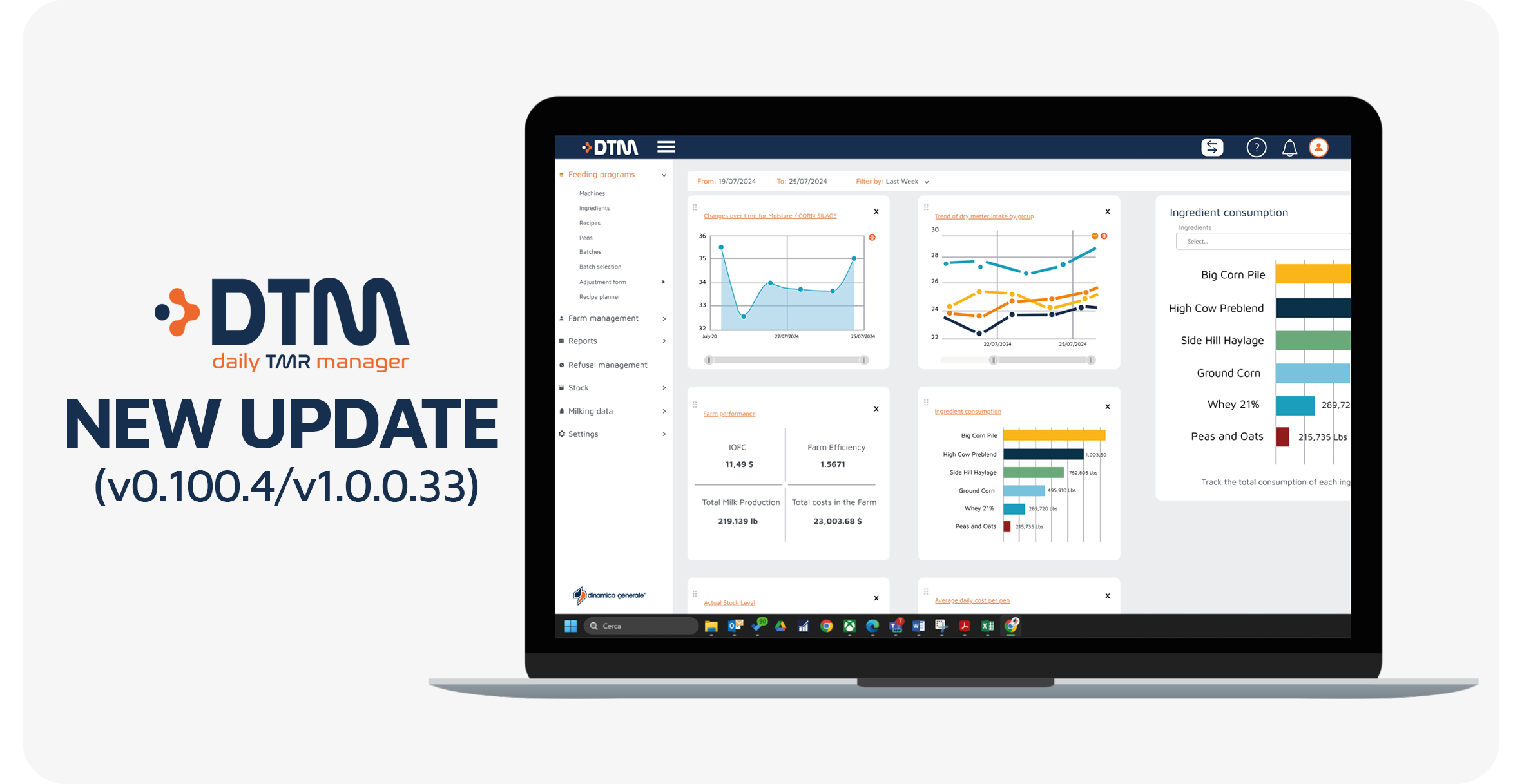
DTM8 (v0.100.4/v1.0.0.33): this update introduces several improvements designed to make data interpretation clearer, daily operations easier, and farm performance analysis faster.
In particular, the new version includes updates to the Recipe nutritional view, the DC305 importer tool, and the Pen Efficiency reporting system. As a result, farmers and advisors can work with feeding data more efficiently and gain clearer insights into farm performance.
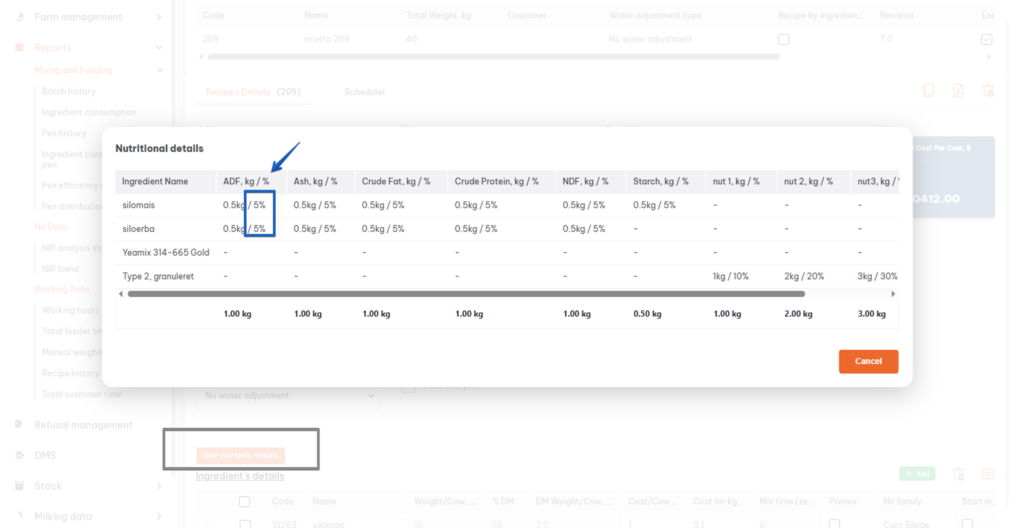
First of all, the Nutrients Details button in the recipe page has been redesigned to improve visibility and accessibility. Now, when clicking the button, an updated Nutritional Details pop-up opens automatically. In this window, each nutrient is displayed together with its corresponding percentage (%) value, allowing users to better understand the ration structure. Therefore, users can immediately evaluate how each nutrient contributes to the overall formulation. In addition, the improved layout helps interpret nutritional data more quickly during ration review or formulation.
Additionally, the DC305 Importer tool has been updated to revision 1.0.2, improving both stability and compatibility. The new version can be downloaded directly from the Import Pens and Import Milking Data sections within DTM. Consequently, users can update the importer quickly and continue working without interruptions. Thanks to these improvements, the update ensures smoother data transfers and more reliable integration with external herd management and milking data systems.
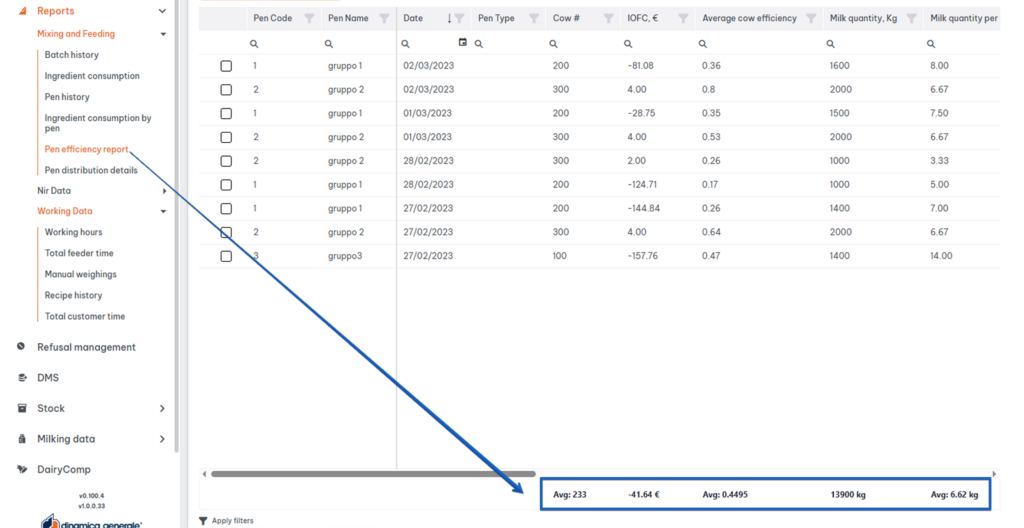
Finally, the Pen Efficiency Report has been enhanced with a new summary row in the Split tab. This row automatically calculates and displays average and total values for the data shown in the table. As a result, users can quickly analyze pen performance without performing manual calculations. Moreover, this feature improves the readability of the report and allows faster identification of performance trends.
Keeping DTM updated ensures access to the latest improvements in feeding management, reporting, and farm data integration. If you need support updating your system or learning how to use the new features, our team is available to help.
Enjoy the new version!



 NIR & Imaging
 Data Management
 Mobile Apps
 Load Cells
 Indicators and ISOBUS-ECU
 Accessories
 English
 Italian
 Spanish
 French
 German
 Portuguese (Brazil)
 Dutch
Dutch Polish
 Chinese (Simplified)
 Turkish
